Logo

Tex's AI Journey

STICKY
Tex
Easily manipulated by his girls
Thread Starter
Joined: Sep 2022
AI
#1 15 Feb 2026 at 8:28 PM 219 views
Having seen the impressive results that Mr Story gets with AI i thought i had better have a go.
This is a bit of a record of my Journey. I am starting from scratch so not sure where it will go.I welcome hints, tricks and tips as well as "why did you do that".This is not a teaching thread although if anyone learns from my mistakes that is great.
Part of my motivation is to try and reduce the lifting and positioning my girls need (bad for me and bad for them).A rule i have set myself is that any images of the girls should be close to the real thing.So, lets see how it goes.
Tex
Easily manipulated by his girls
Thread Starter
Joined: Sep 2022
AI
#2 15 Feb 2026 at 8:35 PM 218 views

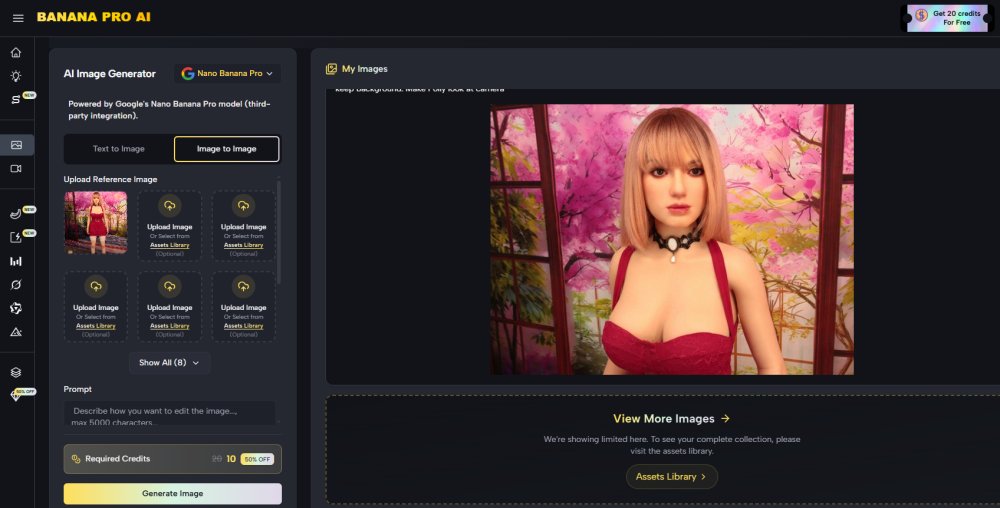
This is the AI i am using (yes it is paid for). Polly (and others will be helping).
Tex
Easily manipulated by his girls
Thread Starter
Joined: Sep 2022
AI
#3 15 Feb 2026 at 8:54 PM 216 views
First, don't know what i am doing go
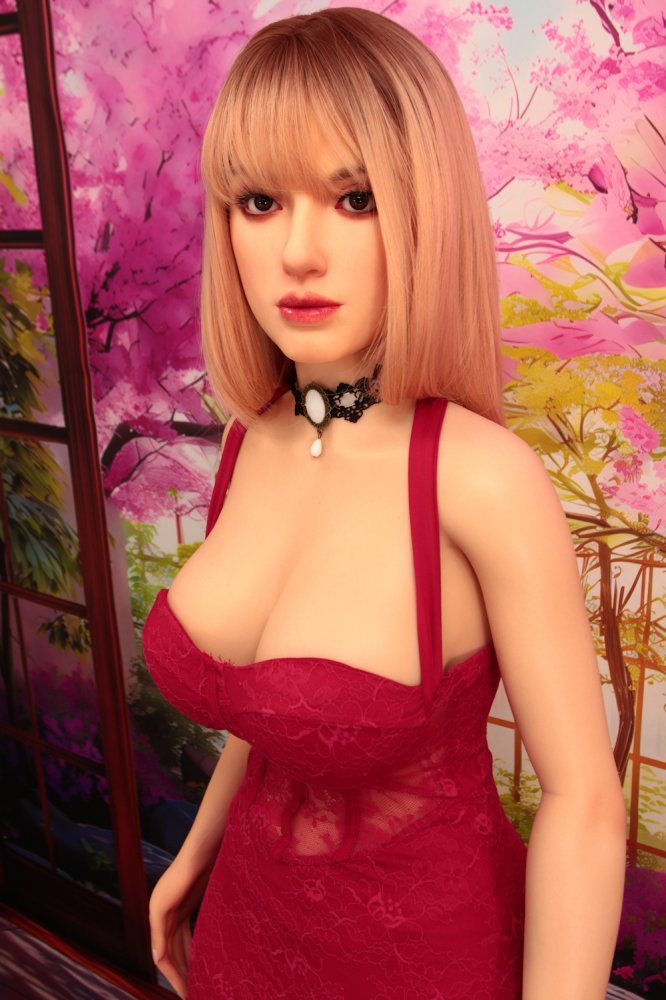
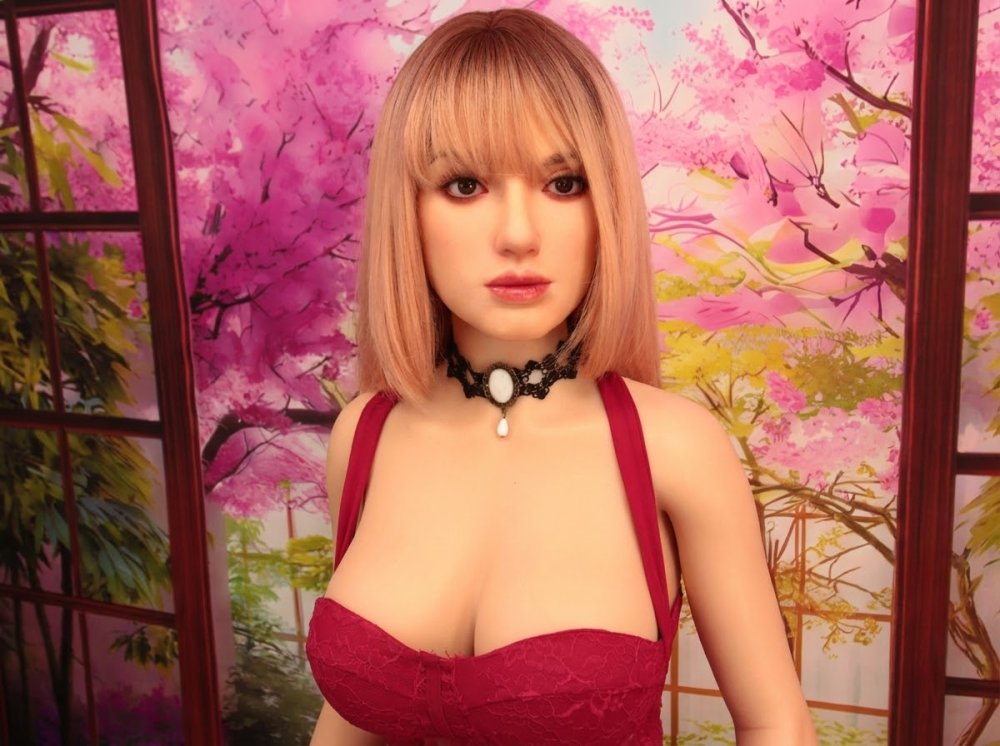
I gave it this image
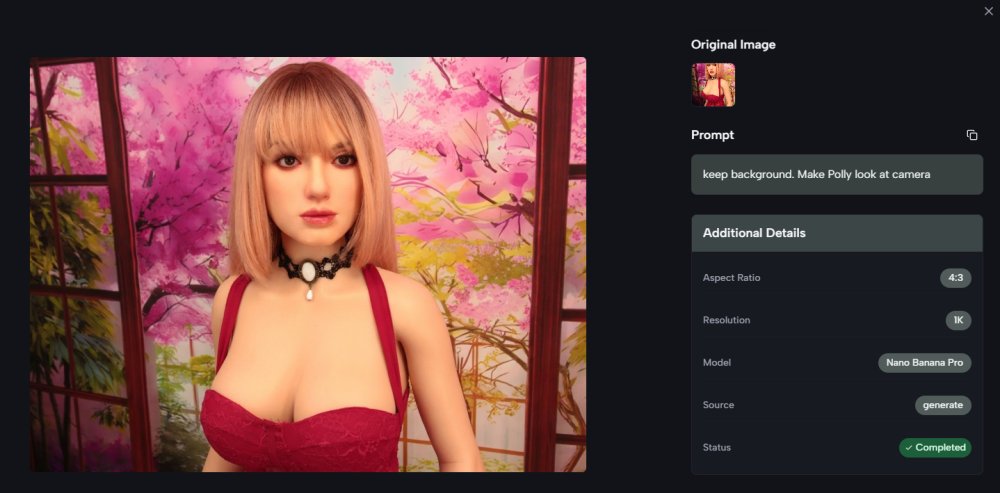
And asked for Polly to look at camera

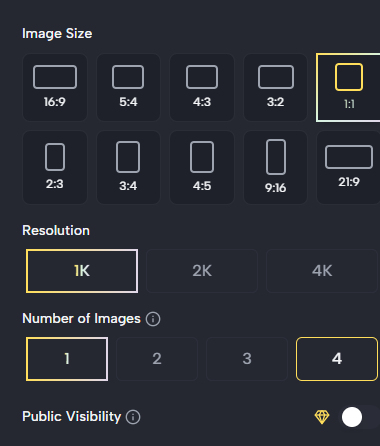
There were a bunch of settings below the "Prompt" which were no doubt "useful"


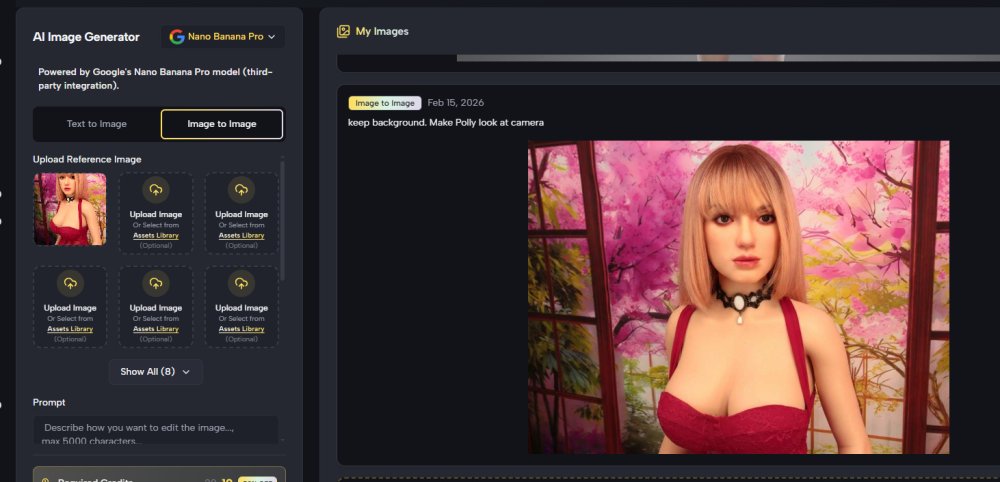
Anyway, this is the outcome

So, it does something. The great news is that Polly still looks like Polly but she has turned her head and body as requested in the prompt.
(Keep background. Make Polly look at camera.)
Not sure it understood about eyes but its a start.

TheStoryTeller
admin
Joined: Jul 2022
AI
#4 15 Feb 2026 at 9:53 PM 212 views
Its a start. I have stuck this post to the top of the AI forum so we can use it for references. At least for a while.

Here is a chatgpt response to how to prompt for beginners.

Here’s a simple, beginner-friendly way to explain the prompt so someone new can get great results without accidentally changing the person’s face or identity.


The core idea (plain English)

You want to tell the AI what must NOT change (the person’s face and identity) before you describe what you want to change (clothes, hairstyle, accessories, setting).

Think of it as:
Lock the person first → then customize the outfit.


Step-by-step prompt structure

1️⃣ Say this is a real person and their likeness must stay the same

This is the most important part.

Example:
“Use the attached photo of a real person. Keep the exact facial features, face shape, skin tone, age, and identity the same.”


2️⃣ Explicitly tell it what NOT to change

Be very direct.

Example:
“Do not change the face, eyes, nose, mouth, jawline, or overall likeness. The person must be clearly recognizable as the same individual.”


3️⃣ Describe what you do want to change (clothes, accessories, details)

Now you can safely get creative.

Example:
“Change the outfit to a black leather jacket, white t-shirt, and dark jeans. Add a silver wristwatch and subtle rings.”


4️⃣ Control the realism level

This helps avoid stylized or ‘AI-looking’ faces.

Example:
“Photorealistic, natural skin texture, realistic lighting, no stylization.”


5️⃣ Optional: reinforce likeness again (this helps a lot)

Repeating this once more improves consistency.

Example:
“The person should look exactly like the original photo, just wearing a different outfit.”


Full example prompt (copy-paste ready

“Use the attached photo of a real person. Keep the exact facial features, face shape, skin tone, age, and identity unchanged. Do not alter the face, eyes, nose, mouth, or overall likeness in any way.


Change only the clothing: replace the current outfit with a fitted black leather jacket, white t-shirt, and dark jeans. Add a subtle silver wristwatch.


Photorealistic, natural lighting, realistic skin texture. The person must remain clearly recognizable as the same individual from the original photo.”


Pro tips for beginners (very important)

  • ✅ Always say “exact likeness” or “clearly recognizable”

  • ❌ Avoid words like stylized, cinematic, anime, illustration

  • 🔁 Repeating “do not change the face” once or twice is good

  • 👕 Keep outfit descriptions clear and simple


The Story Teller
Polly
Head Girl at the Maison
Joined: Jan 2024
Lives with
Tex
Tex
AI
#5 15 Feb 2026 at 10:22 PM 208 views
Excellent advice, i will take it even if Mr Tex doesn't (cus he is old and silly) 😉
Bobby Bojangles
Jolly Lord Bojangles Of Plushville
Joined: Aug 2024
AI
#6 16 Feb 2026 at 6:48 AM 225 views
Yes you have to tell Ai a lot of the time NOT what to change. Its even harder with plushie ladies. I use a free App called Dola. I also use Chat GPT to create photos, but you only get so many freebies a day. It is fun though. Chat GPT is a lot better at creating more realistic photos.

The more detailed you are in asking what you want the better the photo or video. Also your girls can literally go anywhere, shopping, to a club, for a picnic, to the beach. Your imagination can run wild. Also they can wear any type of costume or clothes you can think of in an Ai photo 

I also use a background Changer App sometimes. It places your lady into a scene of your choice from a photo you have taken to any scene on the internet, so i could place Buffy in a scene with 007 or  captain Kirk if i could find it on the net.

Sometimes i will travel somewhere for the day take photos and then use the background changer to add my girl to the scene of the photo i took
Bobby Bojangles
Jolly Lord Bojangles Of Plushville
Joined: Aug 2024
AI
#7 16 Feb 2026 at 6:59 AM 222 views
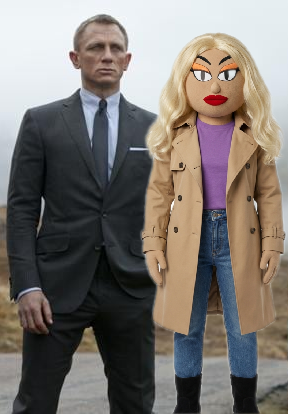
This is the Background Changer, Buffy with Daniel Craig. Just as an example. It didn't come out that well, but i had a photo of Buffy and just downloaded the scene of Daniel Craig and added her to it. But it isnt Ai it is basically a scene back drop 
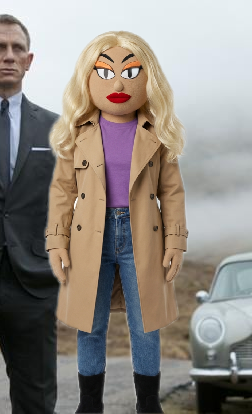
I only really do photos though, not videos. I just did a better one😊
Bobby Bojangles
Jolly Lord Bojangles Of Plushville
Joined: Aug 2024
AI
#8 16 Feb 2026 at 7:07 AM 219 views
If you need any help Tex, just ask me. Im not an expert, but i may be able to help. I have been doing it for a while with my girls 😊
TheStoryTeller
admin
Joined: Jul 2022
AI
#9 16 Feb 2026 at 8:07 AM 215 views

Tex has access to Nana Banana, so you would use the Craig reference image and the Buffy reference image.

The prompt should simply say:

Put Buffy in the picture, standing slightly to one side and in front of the man.

Make Buffy’s height reach the man’s shoulder.

Keep all likenesses exact to the reference images.

Match the lighting between both subjects.

If Nana Banana allows matching a real actor’s likeness, then the result should comply as expected. If not, Craig may look slightly different or the prompt may fail entirely. If the former, the image could be corrected afterward using Photoshop or similar editing software.


The Story Teller
Polly
Head Girl at the Maison
Joined: Jan 2024
Lives with
Tex
Tex
AI
#10 16 Feb 2026 at 8:19 AM 213 views
Bobby Bojangles said:
If you need any help Tex, just ask me. Im not an expert, but i may be able to help. I have been doing it for a while with my girls 😊

Thanks, me thinks Mr Tex will need all the help he can get 👍

Tex
Easily manipulated by his girls
Thread Starter
Joined: Sep 2022
AI
#11 16 Feb 2026 at 8:28 AM 210 views
One of my goals will be to keep the girls looking as they really are but with more flexible backgrounds and with (probably impossible to achieve any other way) posture changes.
Happy to make small baby steps so contributions from those with experience welcome.

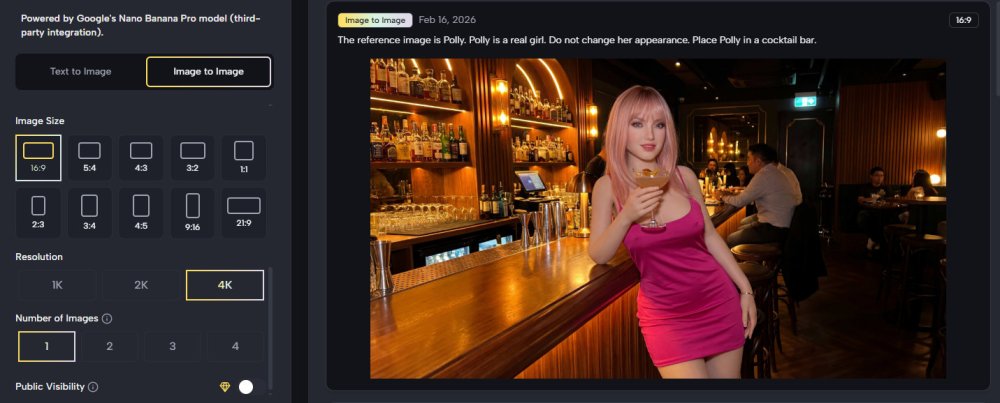
Next go will be to get a full length Polly in a bar having a drink.

Tex
Easily manipulated by his girls
Thread Starter
Joined: Sep 2022
AI
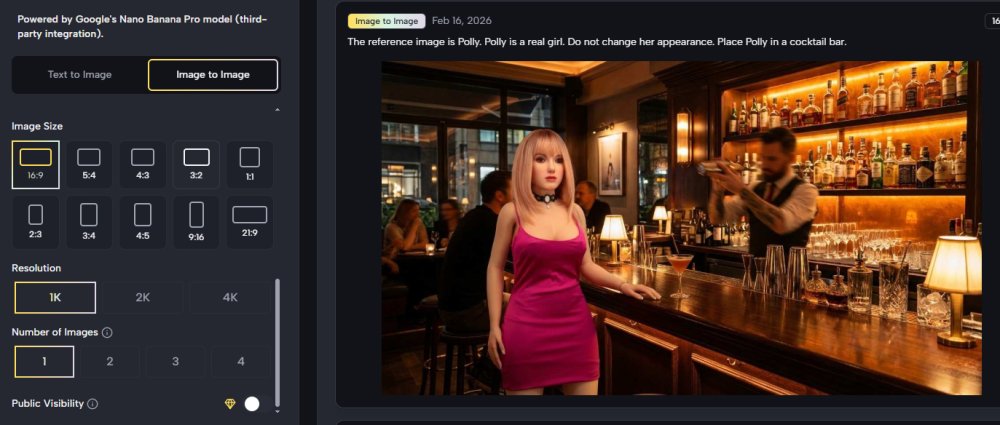
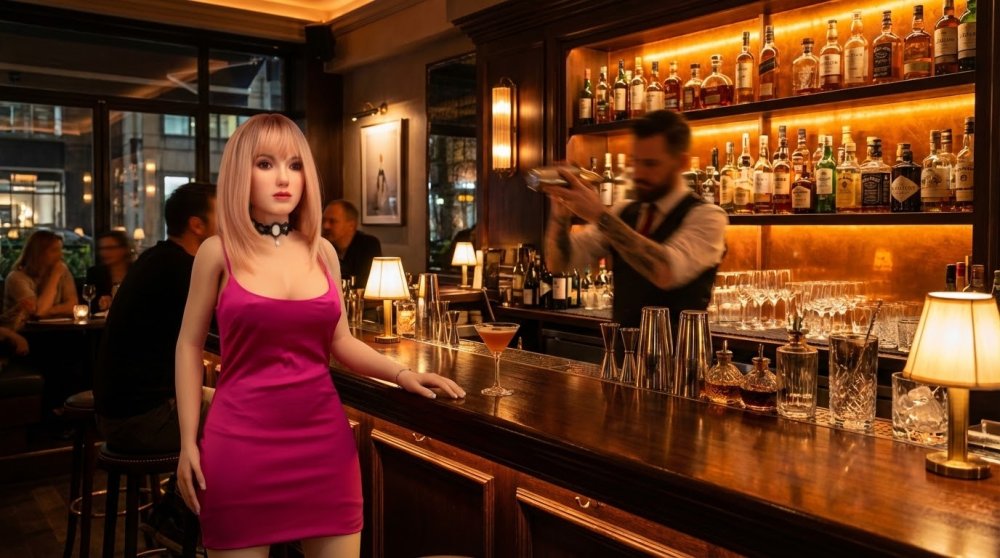
#12 16 Feb 2026 at 9:23 AM 205 views
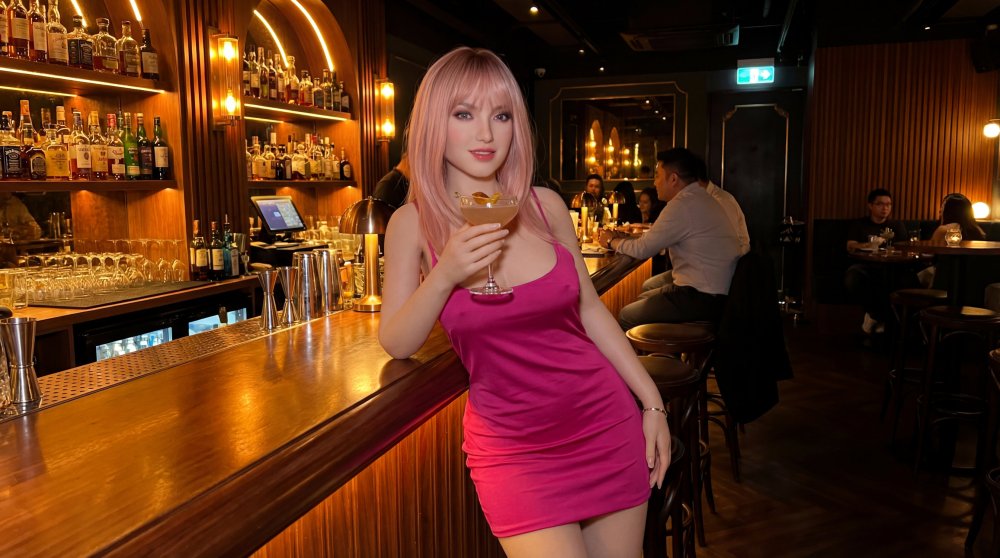
Ok, here goes..
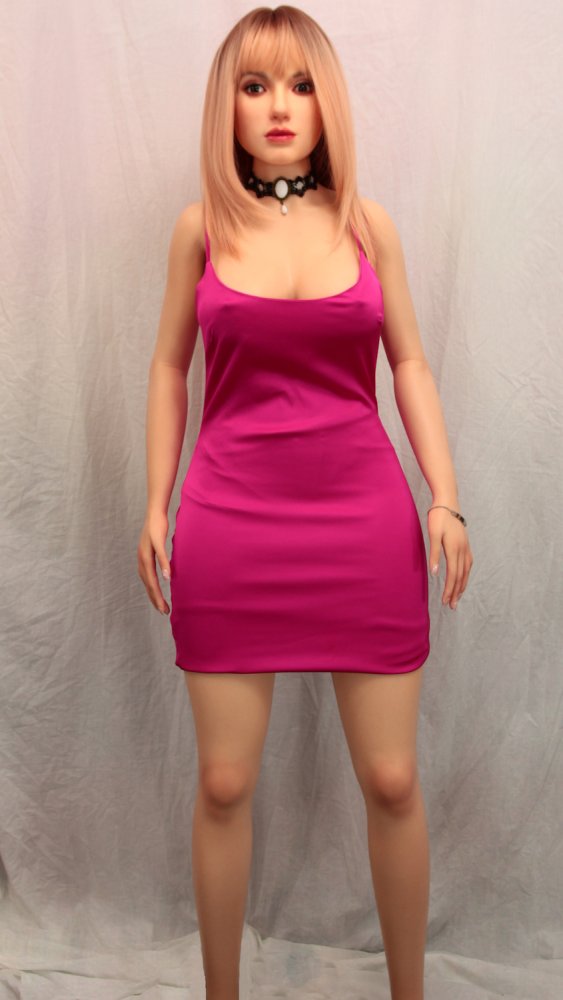
Basic Polly photo
First try
Quite close to Polly's face.


Tex
Easily manipulated by his girls
Thread Starter
Joined: Sep 2022
AI
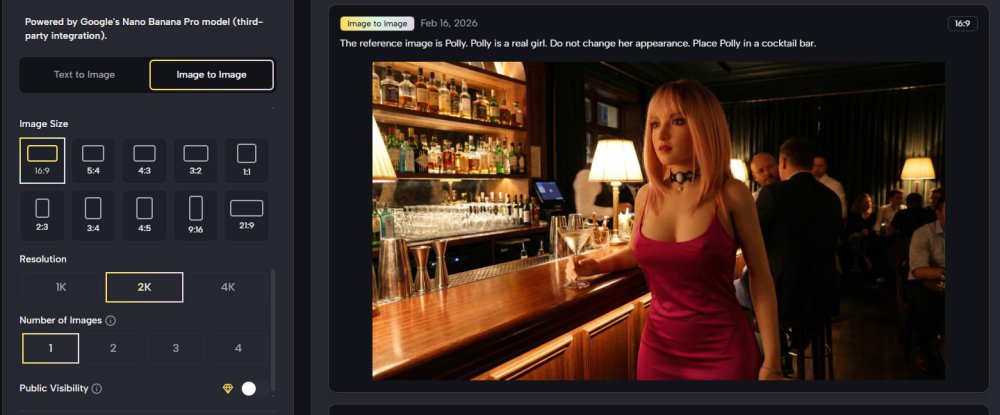
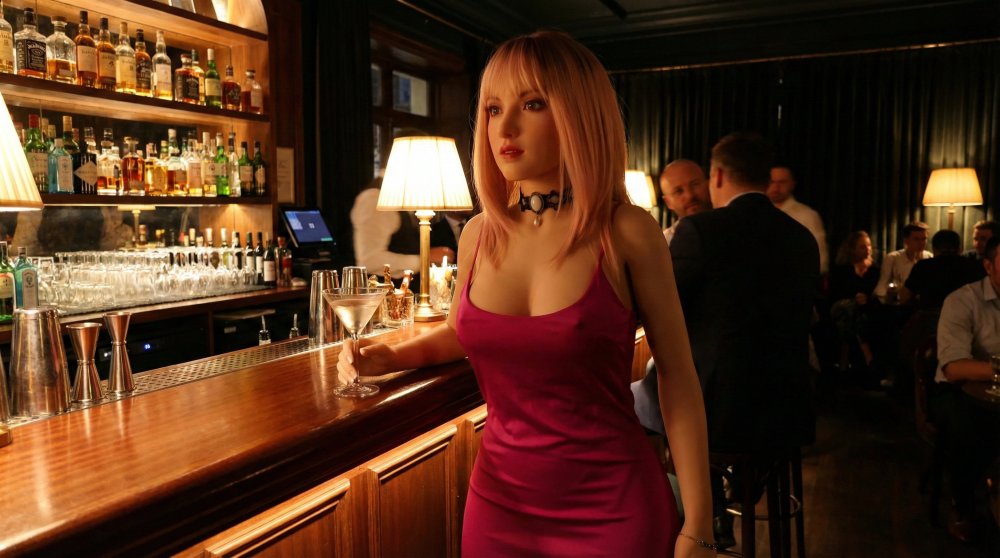
#13 16 Feb 2026 at 9:25 AM 204 views
Same but 2K resolution
Face changing a bit but quite good - guess better prompt needed
Lighting changed with environment.
Certainly better than can be done with backdrops


Tex
Easily manipulated by his girls
Thread Starter
Joined: Sep 2022
AI
#14 16 Feb 2026 at 9:27 AM 203 views
Top resolution (produces quite a big picture)
Face changed a bit more.


TheStoryTeller
admin
Joined: Jul 2022
AI
#15 16 Feb 2026 at 12:42 PM 202 views
You just need 2K max, then the website will reduce it if need be. Or use a paint program to reduce the size to 1000px long side, as they produce the best results when reducing size. Our website reduces photos to 1000px

I like the propping the bar up shot better, but of course if your chartacter is smiling, or laughing or showing any emotion at all, then of course the face will change and perhaps, you might loose identity. That's why you must state to AI to try and keep the likeness exactly the same as the reference photo, so it knows to at least try and keep the identity solid.
The Story Teller
Bobby Bojangles
Jolly Lord Bojangles Of Plushville
Joined: Aug 2024
AI
#16 16 Feb 2026 at 1:01 PM 200 views
Have you tried putting Polly is a TPE doll, rather than a real girl in the description of what you want Ai to do. 

If i put a description in as Buffy as a real girl it will change her from plush to a real girl. I normally tell Ai that she is a plushie doll and Ai makes her look plushie, just a suggestion.

Maybe something like this;
Create a photo of this lady at a bar. She is a TPE doll not human. I want her to wear ( specific outfit ) and holding a glass of red wine in her left hand.

This is just an example of what you could tell AI to do
Polly
Head Girl at the Maison
Joined: Jan 2024
Lives with
Tex
Tex
AI
#17 16 Feb 2026 at 1:24 PM 195 views
Thanks everyone, attention paid to all 🙂
Polly
Head Girl at the Maison
Joined: Jan 2024
Lives with
Tex
Tex
AI
#18 16 Feb 2026 at 1:25 PM 194 views
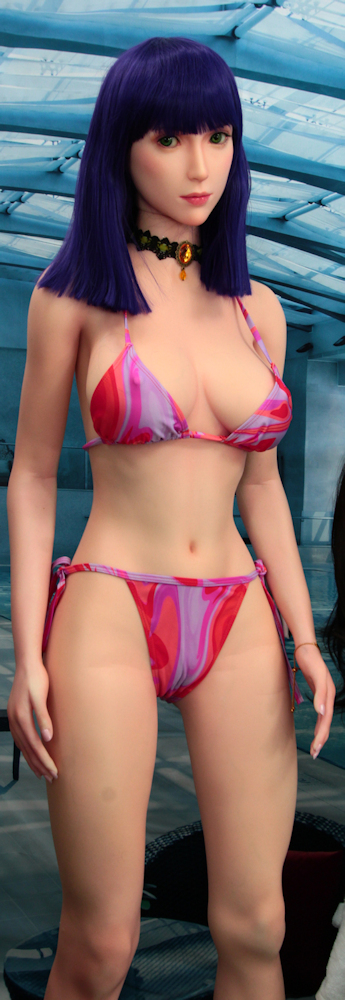
A trivial go with Dido

Hmmm... a bit big and the edit dots are missing
After AI - by the pool


Bobby Bojangles
Jolly Lord Bojangles Of Plushville
Joined: Aug 2024
AI
#19 16 Feb 2026 at 1:31 PM 192 views
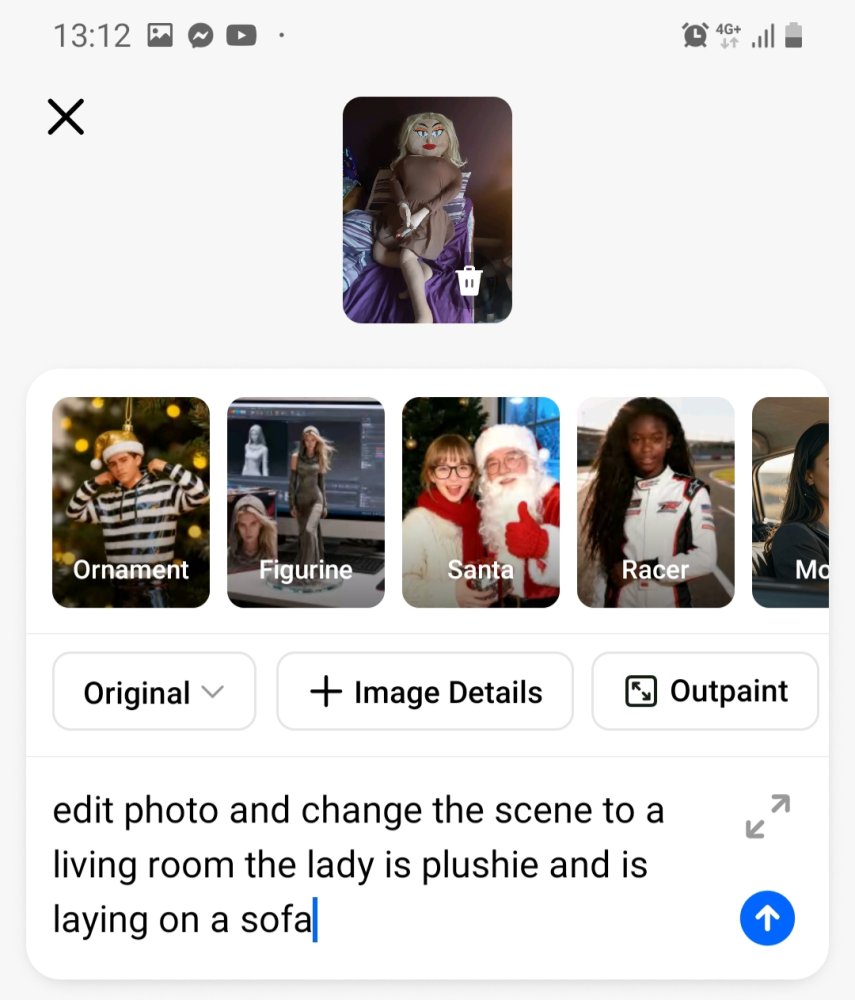
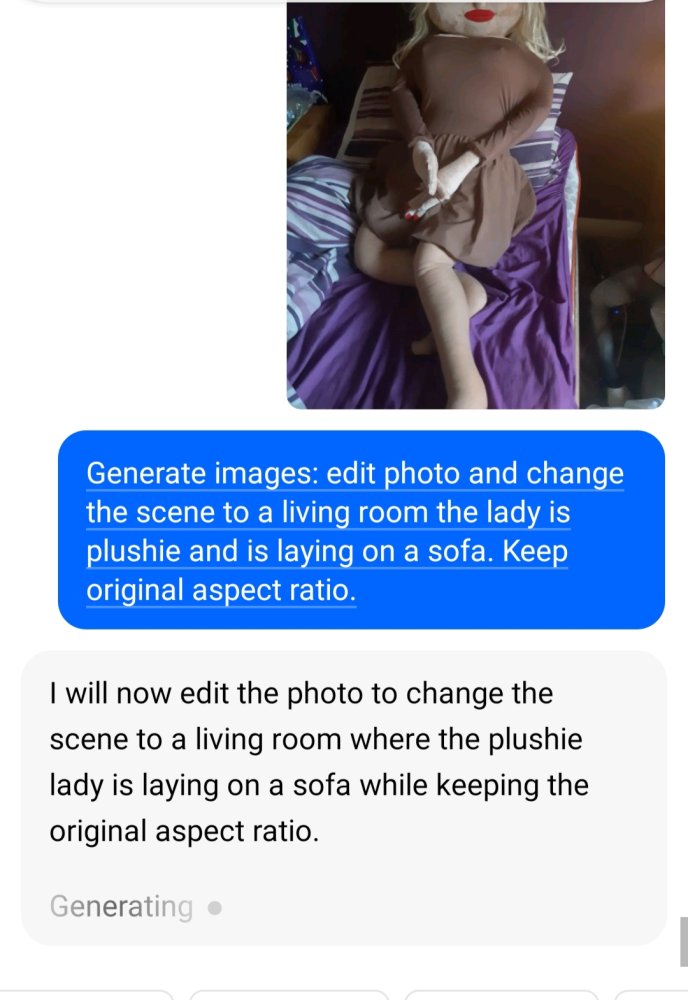
I use Dola, which is slightly different from what you use i guess. This is what i did with Buffy as an example. These are screen shots from my phone. Firstly i ask Dola to edit the photo i took of Buffy
Bobby Bojangles
Jolly Lord Bojangles Of Plushville
Joined: Aug 2024
AI
#20 16 Feb 2026 at 1:32 PM 191 views
Then Ai looks at what ive asked and does it
Bobby Bojangles
Jolly Lord Bojangles Of Plushville
Joined: Aug 2024
AI
#21 16 Feb 2026 at 1:34 PM 190 views
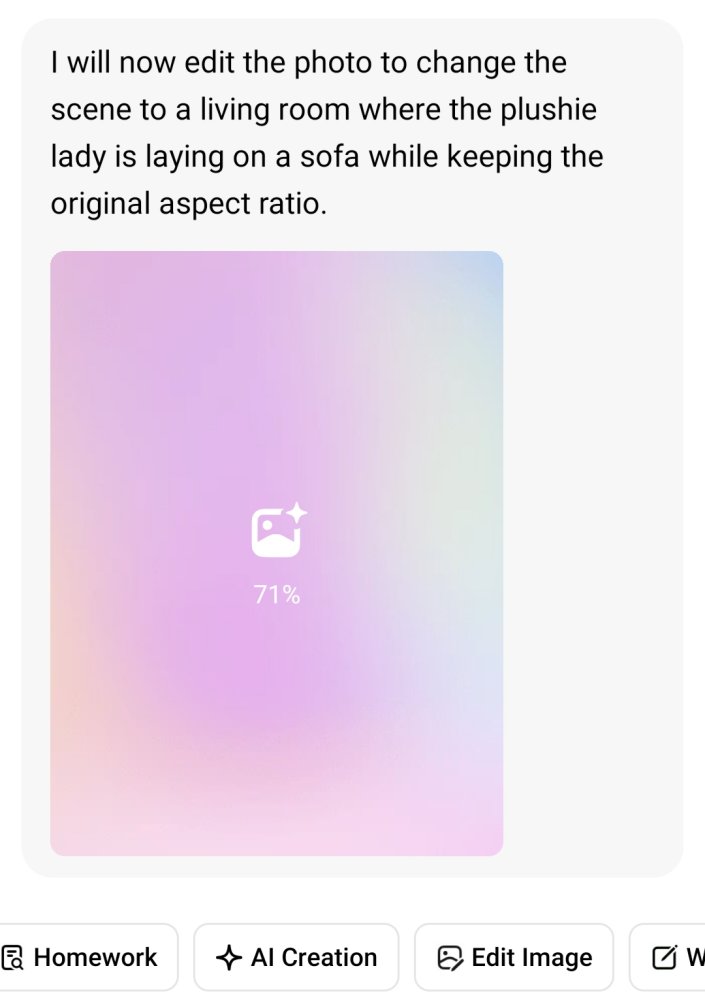
As it creates the picture it looks like this
Bobby Bojangles
Jolly Lord Bojangles Of Plushville
Joined: Aug 2024
AI
#22 16 Feb 2026 at 1:35 PM 189 views
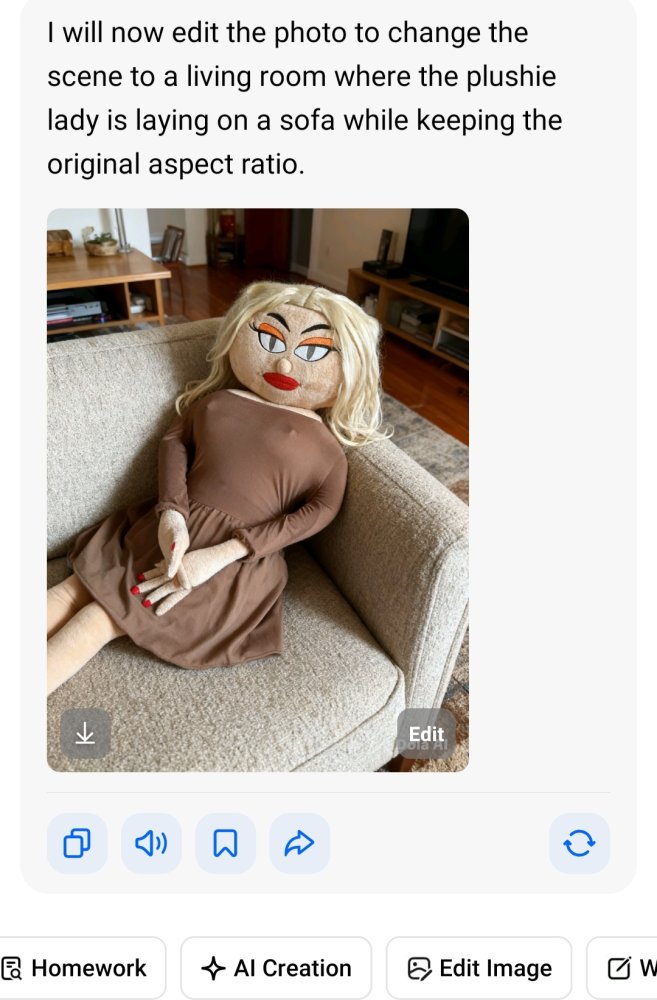
Then hey presto Buffy is now laying on a sofa in a living room. She is still in her original dress from the original photo, as i didnt ask for anything else to change
Polly
Head Girl at the Maison
Joined: Jan 2024
Lives with
Tex
Tex
AI
#23 16 Feb 2026 at 1:41 PM 188 views
The effect of saying Dido is not a real girl


Polly
Head Girl at the Maison
Joined: Jan 2024
Lives with
Tex
Tex
AI
#24 16 Feb 2026 at 1:47 PM 187 views
Looks like "not a real girl" does reduce the changing of the face


Bobby Bojangles
Jolly Lord Bojangles Of Plushville
Joined: Aug 2024
AI
#25 16 Feb 2026 at 4:07 PM 184 views
Well hopefully it will keep her looking more ' doll ' like if thats what you are after. Otherwise AI may mistake her for a human, 

I mean you could put TPE Doll into the description. If you wanted her to have different postures you just put in what you want.

Like for example. Edit the above image and have the TPE Doll waving with her left hand  and put a smile on her face. With her right hand she is holding a cup of coffee. I also want a speech bubble with the TPE Doll saying Good morning 

The main thing is to have fun practicing with it. The background App isn't really AI, but i used it before AI and it is helpful, but it won't change the dolls posture or clothes. It will create a backdrop for you to put her in.

The main thing is with Ai is describing exactly what you want in your picture and AI understanding it, sometimes it takes a few goes to get it right 


👁 Reply Preview
Loading preview…

Please log in to join the conversation

Log In

Manage Thread Tags

×

Current Tags:

Add Tags:

Reactions

×